

You send your drone up. It should fly straight. Instead, it leans to one side, like something is pulling it. You try to fix it with the controller, but it keeps drifting anyway.
Your first thought is probably: “Oh no, I broke it.”
Good news, you probably didn’t break it. Most of the time, it’s one small part causing all the trouble, and once you know what to look for, it’s an easy fix.
The #1 Reason Drones Fly Sideways
Nine times out of ten, it’s a propeller.
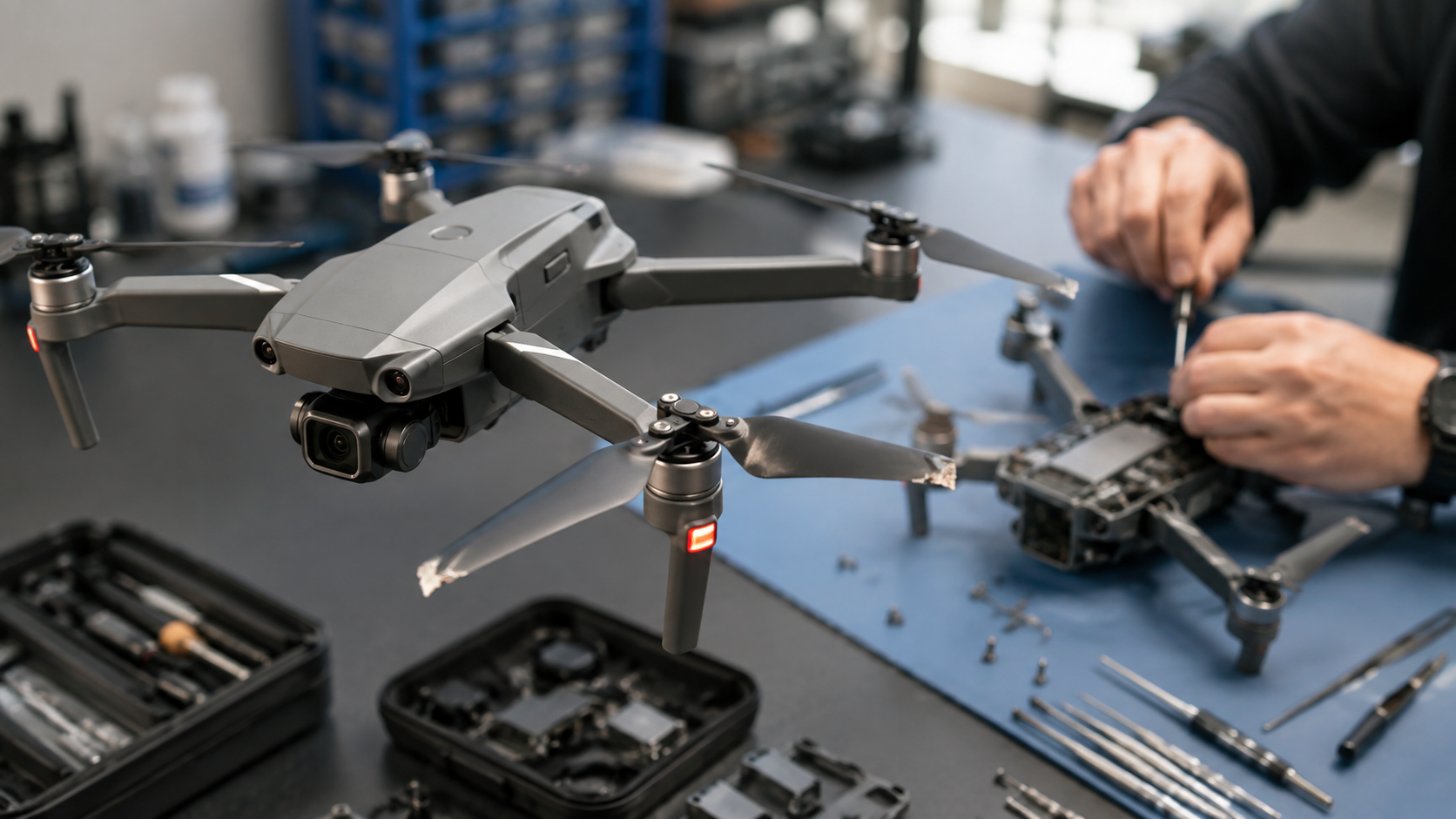
Even a tiny chip on one blade, so small you might not even see it, throws the whole drone off balance. The drone tries to fly straight, but one propeller is spinning the wrong way, so it pulls to the side no matter what you do.
Quick check: Look closely at all four propellers. Any chips, cracks, or bent edges? That’s usually your answer.
Other Reasons Your Drone Might Be Acting Weird
One motor sounds different from the others. If you listen closely and one motor makes a grinding or rattling noise, or spins more slowly than the rest, that motor is probably struggling. Usually it’s just dust stuck inside it. Sometimes the motor is simply worn out and needs replacing.
Your drone needs to be “recalibrated.” Think of this like resetting your drone’s sense of direction. After a hard landing, or flying somewhere with a lot of metal or magnets around, your drone can get confused about which way is straight. A quick recalibration often fixes this completely, no new parts needed.
A bent arm from a landing that looked fine but wasn’t. Sometimes a landing looks totally normal, but it bends the drone’s arm just a tiny bit. You can’t always see it, but the drone can feel it every time it flies.
Why Is My Drone’s Video Blurry or Shaky All of a Sudden?
Don’t panic and assume your whole camera is broken. Check these first:
- Is the lens just dirty? Sounds obvious, but a smudge or dust on the lens is the most common cause, and the easiest fix
- Did you drop it recently? The gimbal (the little arm that holds the camera steady) can shift out of place after a bump, causing shaky footage
- Is a cable loose inside? Sometimes footage cuts out or looks glitchy because a small cable came loose, not because the camera itself is broken
Got a DJI Drone? Here’s What You Should Know
Most drones we see are DJI, Mavic, Air, Mini, or Inspire models. A few things are different with DJI:
- DJI batteries and chargers are made just for DJI, so using the right parts matters more than with other brands
- After a firmware update, your drone might act strange for a flight or two — that’s usually not a real problem, just a settings hiccup
- Because DJI makes so many different models, a repair shop that fixes DJI drones often will have parts ready faster than one that barely sees them
Don’t Ignore a Cracked Propeller
This is the one thing worth fixing right away, even if it seems small. A cracked propeller keeps spinning unevenly every single flight, which puts extra stress on the motor attached to it. Eventually, that small crack can lead to a much bigger problem or a crash. Swapping a propeller is quick and cheap. Waiting isn’t.
When It’s More Serious: Circuit Board Problems
This is different from the other issues, and it needs a real technician, not a YouTube tutorial. Signs of a circuit board problem include:
- The drone won’t turn on at all
- It connects to the controller but doesn’t respond to any commands
- It randomly shuts off mid-flight
This usually happens after water damage or a hard crash. It’s fixable, but it takes real diagnostic tools and careful work to repair the board itself.
Looking for Drone Repair Near You?
If you’re searching “drone repair near me” or “drone repair Windsor,” here’s a simple way to tell if a shop actually knows drones: ask them to test your drone first before quoting a price. A shop that guesses without testing isn’t giving you a real answer.
We Fix Drones at Profix — Here’s How
At Profix Cell Phone Repair, we work on DJI and other drone brands, fixing everything from a chipped propeller to a struggling motor, camera issues, and circuit board problems. We test your drone first, explain what’s actually wrong in plain language, and give you an honest price, no guessing games.
Don’t Fly It Again Until You Check
Flying with a cracked propeller or a struggling motor is how a small, cheap problem turns into a crash that breaks everything. If your drone feels off in any way, bring it in before your next flight, not after.
📍 Visit us at 7033 Wyandotte St E, Windsor, ON 📞 Call us now or just walk in — no appointment needed
FAQs
How do I know if it’s my propeller or my motor causing the problem?
Check the propellers first; look for any small chips or cracks. If they look fine but one motor sounds different or spins slower than the others, that points to the motor instead.
Is a drone that flies sideways a sign of serious damage?
Usually not. Most of the time it’s a small, fixable issue like a chipped propeller or a calibration problem, both of which are easy repairs. It’s only a bigger deal if the frame itself looks bent or the drone went through a hard crash.
Do DJI drones need special repair parts?
Yes, DJI batteries and chargers work best with parts made specifically for DJI models. The rest of the repair motors, propellers, cameras follows similar steps as most other drone brands.
How much does it cost to fix a drone?
It depends on what’s wrong. A propeller swap is the cheapest fix, motor and camera repairs cost a bit more, and circuit board or water damage repairs cost the most since they take more time and careful work. Bring it in for a free check-up to get an exact price.